

The Lost Legend of
Mr. Macintosh
In 1982, Steve Jobs dreamed of a mysterious little man living inside every Mac.
Over 40 years later, he’s finally home.
A Flash of Inspiration at Texaco Towers
It was February 1982. Deep inside Apple’s early “Texaco Towers” offices, the original Macintosh development team was hard at work. Late one evening, original Mac software architect Andy Hertzfeld was the only one left in the office when Steve Jobs burst through the doors, riding the high of a sudden epiphany [1].
“Mr. Macintosh!” Jobs exclaimed. “We’ve got to have Mr. Macintosh!”
Hertzfeld, bewildered, asked who exactly Mr. Macintosh was. Steve’s vision was as vivid as it was bizarre:
“Mr. Macintosh is a mysterious little man who lives inside each Macintosh. He pops up every once in a while, when you least expect it, and then winks at you and disappears again. It will be so quick that you won’t be sure if you saw him or not. We’ll plant references in the manuals to the legend of Mr. Macintosh, and no one will know if he’s real or not.”
For a software engineer like Hertzfeld, who naturally daydreamed about hiding surreptitious easter eggs in code, hearing the co-founder of the company suggest something so whimsically subversive was a dream come true. Jobs elaborated on the exact mechanics: out of every thousand or two thousand times a user pulled down a menu, they wouldn’t see their normal commands. Instead, they would find a tiny man leaning against the wall of the menu drop-down. He would wave, maybe wink, and quickly vanish before the user could call their friends over to the screen.
Bringing the Macintosh Man to Life
Jobs wasn’t just spitballing; he was serious enough to put Apple’s money behind the legend. He took the idea to the marketing team and eventually recruited renowned Belgian poster artist Jean-Michel Folon, paying him a $30,000 advance to design the character. Folon delivered a whimsical, pastel drawing of a mysterious man in a fedora wearing a classic “Mackintosh” raincoat, an artwork titled “The Macintosh Spirit”.
But a beautiful pastel drawing couldn’t live inside a computer interface. Hertzfeld needed someone to translate this concept into the Mac’s stark black-and-white pixel constraints. He turned to his high school friend, a talented artist who hadn’t even officially started working at Apple yet: Susan Kare. Tasked with drawing the tiny bitmap animations of Mr. Macintosh, this secret easter egg became Kare’s very first project for Apple—long before she designed the iconic Mac fonts, the Happy Mac, and the Command key symbol we still use today.
The Tragedy of the 64KB ROM
 As development continued and the Mac’s January 1984 launch date loomed closer, reality set in. The original Macintosh system software had to fit onto a tiny 64 Kilobyte ROM chip. With the operating system growing, memory space became the most precious real estate in Silicon Valley.
There simply wasn’t enough room to store Susan Kare’s animation frames. To the dismay of the team, the digital Mr. Macintosh had to be scrapped.
But he didn’t disappear entirely. In a rebellious attempt to keep the dream alive, Andy Hertzfeld refused to completely abandon the little man. In the depths of the Mac’s operating system code, he left behind a secret “hook”:
“I made the software that displayed the menus look at a special low memory location called the ‘MrMacHook’ for an address of a routine… Using this, an application or system module could implement Mr. Macintosh (or perhaps his evil twin) if they saw fit.” — Andy Hertzfeld
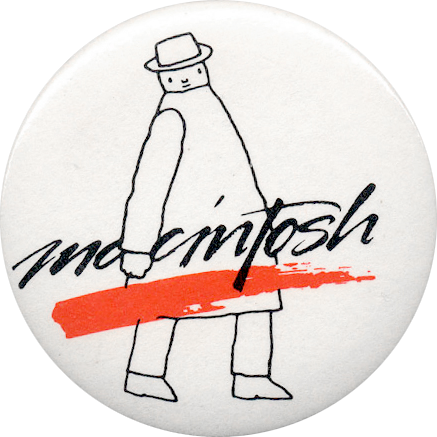
In the physical world, Mr. Macintosh was quietly immortalized as a tiny, etched illustration hidden on the Mac’s first digital logic boards. Apple also gave away rare, collectible lapel pins featuring Folon’s character at early trade shows. Yet, on the screen, the legendary Mr. Macintosh was never seen by the public.
Until now.




40 Years Later, He’s Back: The Mr. Macintosh App
We decided it was finally time to use that hook.
 Over four decades after Steve Jobs pitched the idea, we’ve built Mr. Macintosh—a lightweight, delightful, and historically accurate macOS application that brings Apple’s lost legend to life on modern Macs.
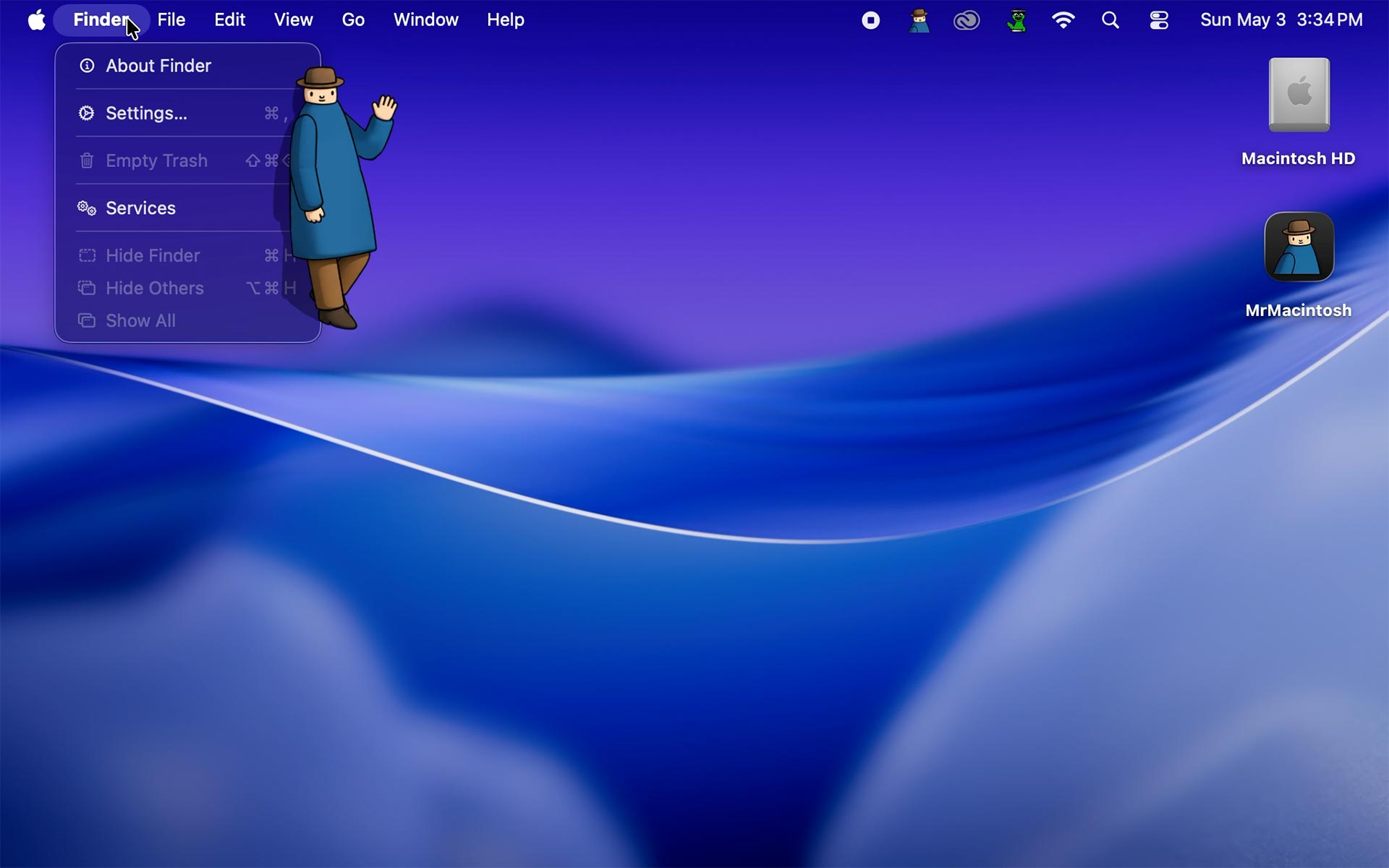
Written natively in Swift and SwiftUI, the app honors the exact vision Jobs and Hertzfeld laid out in 1982. Mr. Macintosh silently lives in your menu bar, waiting. When you least expect it, he will peek out from beneath your active menu, tip his hat to you, play a nostalgic little ding, and swiftly fade away into the digital ether.
Features Built for Apple Enthusiasts
- The “One in a Thousand” Rule: Just as Jobs envisioned, Mr. Macintosh operates on a click threshold. By default, he will appear every 10 times you click your menu bar, but you can adjust this inside the Options panel all the way up to 1,000 to make him a true, rare Easter Egg.
-
Graceful Evasiveness: Try to catch him, we dare you. The app monitors your active window bounds. If your menu disappears or you click away, Mr. Macintosh will initiate a rapid fade-out, keeping his mysterious reputation intact.
-
A Living History Lesson: The app features an “About” window detailing the brief history of Jean-Michel Folon, Susan Kare, and Andy Hertzfeld.
-
Launch at Login: Keep the spirit of the Macintosh alive permanently. Mr. Macintosh can be set to automatically start silently in the background every time you turn on your Mac.
How It Works (The Technical Magic)
Unlike 1984, we aren’t bound by a 64KB ROM limit. The modern app uses a CGEvent monitor to quietly tally your leftMouseDown clicks across the system. Whenever your mouse interacts with the top of your screen (where the macOS Menu Bar resides), the app checks if the target count has been reached. When triggered, it summons a transparent, borderless floating overlay window positioned perfectly beneath the active menu, fading in just long enough to make you smile.
Download Mr. Macintosh
This project is an unofficial historical tribute and is not affiliated with, endorsed by, or sponsored by Apple Inc. Mac and Macintosh are registered trademarks of Apple Inc.
Bring the lost mascot of Apple to your desktop today.
 System Requirements:
-
macOS 13.0 (Ventura) or later.
-
Accessibility Permissions: Mr. Macintosh requires Accessibility access to run. Because the app needs to know when you are clicking your system Menu Bar to increment the counter, macOS requires you to grant Accessibility permissions.
-
Privacy Note: The app strictly listens for mouse clicks on the menu bar to trigger the animation. It does not record keystrokes, track personal data, or connect to the internet.
-
Installation Instructions:
-
Download and unzip MrMacintosh.app.
-
Drag the app to your Applications folder and open it.
-
You will be prompted to grant Accessibility access. Click “Grant Access” to open System Settings, and toggle the switch ON for MrMacintosh.
-
Look for the classic Mac icon in your menu bar. Click it, select Options…, and set your click threshold!
“He pops up every once in a while, when you least expect it… then winks at you and disappears.” — Steve Jobs, 1982[1]